
The key to victory:
a comfortable and secure gaming environment.
Security software that protects your account
without compromising game performance.
15MB install, no setup required, ready to use
See the Comfortable Gaming Experience in Video
Chosen in the world of esports — security without sacrificing performance
Common Gamer Problems
-
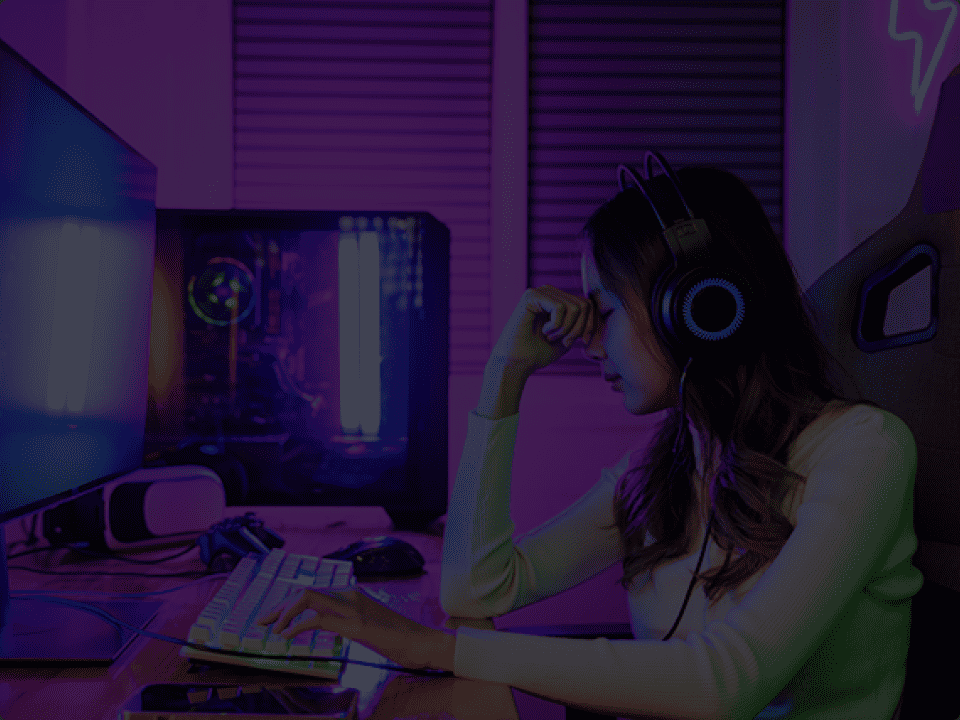
FPS drops during
ranked match...During an important ranked match, the security software runs a scheduled scan and the frame rate drops suddenly. In FPS and MOBA games where a split second decides victory, losing because of security software is absolutely unacceptable.
-

Steam account
hijacked...Clicking a fake link from a friend and having your Steam account hijacked, losing all skins and items — phishing attacks targeting gamers are rapidly increasing. Security measures to protect your payment data and save files are essential.
-
Malware disguised
as MODs...You thought it was a useful MOD or tool, but it was actually a keylogger or ransomware. Malware targeting gamers is becoming more sophisticated, and you need security that can handle threats from gaming communities.
1–2%
CPU Usage
20sec
Scan Time
15MB
Install Size
0%
FPS Drop
Performance Comparison with Competitors
We compared with major security software on the 5 metrics gamers care about most.
| Metric | OPCON Webroot |
Brand A | Brand B | Brand C | Brand D |
|---|---|---|---|---|---|
| CPU Usage | 1–2% | 10–30% | 15–35% | 20–50% | 8–25% |
| Scan Time | ~20 sec | 5–30 min | 10–40 min | 3–20 min | 5–25 min |
| Install Size | 15MB | 1.5GB | 2.0GB | 800MB | 1.2GB |
| FPS Drop Rate | 0–1% | 5–15% | 10–25% | 3–12% | 5–18% |
| Boot Time Impact | Negligible | +10–20 sec | +15–30 sec | +5–15 sec | +8–20 sec |
* Based on publicly available data and third-party testing results. Actual values may vary depending on your environment.
Brands A–D refer to major security software products.
Key Features of Webroot
-

Ultra-lightweight design that
never interferes with game performanceTypical security software tends to be a burden on your PC, but this product is optimized for gamers and minimizes system resource usage. It maintains smooth gameplay without dropping frame rates even in FPS and MOBA games.
-
Blocks phishing scams and
protects your valuable accountsAI detects increasingly sophisticated phishing scams in real time, blocking suspicious websites and emails. It prevents the risk of stolen login credentials and keeps your gaming accounts safe.
-
Real-time response to the latest threats.
Always on the front line of defenseLeveraging cloud technology, it instantly responds to new viruses and hacking techniques. It detects and blocks unknown threats in real time, so you can enjoy gaming with peace of mind.
-
Installation complete in minutes.
Security that doesn't interrupt your playInstallation is done in just a few clicks with no complicated setup required. After installation, it runs in the background without interrupting your gameplay with unnecessary messages.
Simple Pricing Plans
-
Monthly Plan
440¥/mo
-
Most Popular
1 Year Plan
5,280¥/yr
About ¥440/mo
-
2 Year Plan
10,560¥/2yr
About ¥440/mo
Maximum PC protection and
maximum gaming performance.
Cancel anytime, no setup required, ready to use
Real Reviews from Gamers
Switched from Norton. My frame rate in Apex is much more stable, and the stuttering is noticeably reduced. I wish I had switched sooner.
VALORANT is a game sensitive to CPU load. Other security software caused stuttering when aiming, but since switching to Webroot, it's been zero.
FPS drops during build fights were my biggest frustration. Since switching to Webroot, I consistently get 240fps. I feel confident even in competitive play.
15MB? Really? It's incredibly light. Installation was instant, and no setup needed. This is more than enough for gamers.
In CS2, even a tiny bit of lag can be fatal. The fact that scans finish in 20 seconds is a lifesaver. Running it before a match has zero impact.
Streaming while gaming tends to get heavy, but since switching to Webroot, the CPU usage is completely different. Viewers even told me my stream quality improved.
When streaming with OBS while gaming, my old security software's scheduled scans made the stream stutter. Webroot is truly invisible.
Running Live2D, a game, and streaming software simultaneously means security software weight is a critical issue. Thanks to Webroot, my avatar movements stay smooth.
I don't even notice the security software running in the background during streams. The monthly cost is under 500 yen too — totally worth it as a streamer's fixed expense.
The phishing protection has been surprisingly helpful. Someone tried to trick me into clicking a suspicious link during a stream, and Webroot blocked it.
If a security scan kicks in during a tournament, it's game over. Webroot finishes in 20 seconds and never interferes in game mode. Our whole team has adopted it.
Our pro team uses Webroot as standard. LoL's CPU load spikes during team fights, but the impact from security software is zero.
We've installed Webroot on all PCs at tournament venues. We've never received a single complaint from players about performance. It gives us peace of mind as organizers too.
I recommend Webroot for all my academy students' PCs. Young players tend to have low security awareness, so having something lightweight yet reliable is crucial.
I made the switch when my Virus Buster subscription was up for renewal. My PC boot time is noticeably faster. The lightness is tangible even outside of gaming.
McAfee's popup notifications during gaming were the worst. Webroot has zero notifications in game mode. Completely stress-free.
Kaspersky was feature-rich but heavy. Webroot is simple, but it has all the protection a gamer needs. Lightness is king.
I was getting by with the free Defender, but hearing about gaming account hijacks made me anxious. Under 500 yen per month for this peace of mind is incredible value.
Frequently Asked Questions
-
Q
Will the security software slow down my game?
Webroot operates on a cloud-based architecture with only 1–2% CPU usage. With an install size of just 15MB, it's ultra-lightweight and won't affect frame rates even during FPS or MOBA games.
-
Q
How is it different from other security software?
Typical security software takes 30 minutes to 1 hour for a scan, but Webroot completes it in about 20 seconds. Additionally, game mode automatically optimizes settings so that notifications and scans never interrupt your gameplay.
-
Q
What operating systems are supported?
It supports Windows 10/11 and macOS 10.15 or later. One license protects one PC.
-
Q
What's the difference between the monthly and annual plans? Can I switch?
The monthly plan (¥440/mo) can be cancelled anytime. The 1-year plan (¥5,280) saves about 20% compared to monthly billing. The 2-year plan (¥10,560) offers even greater value for long-term use. Plan changes can be made at the next renewal.
-
Q
How long does installation take?
It's a roughly 15MB download and installation completes in just a few minutes. No complicated setup is required — you can start using it right after installation.